
Venus AI
Meet Venus, the AI agent for e-commerce support
Venus answers customers, resolves orders end to end and drafts replies for your team. It works from your own store data, checks its facts and asks before it acts.
The model
Trained for one job: customer service
Venus isn’t a general chatbot with a support prompt. It’s built to answer customers well, and to know when not to answer.
Fine-tuned for support
Venus runs on a model fine-tuned on 50,000 curated customer service conversations, so it writes the way good support sounds: clear, friendly and to the point.
Grounded in your store
Before it answers, Venus reads your policies, products, orders and help center. It answers from your data, not from guesses.
Fact-checked
A fact check reviews every draft before it’s sent and corrects or holds back claims it can’t verify.
Resolve
Resolves orders end to end
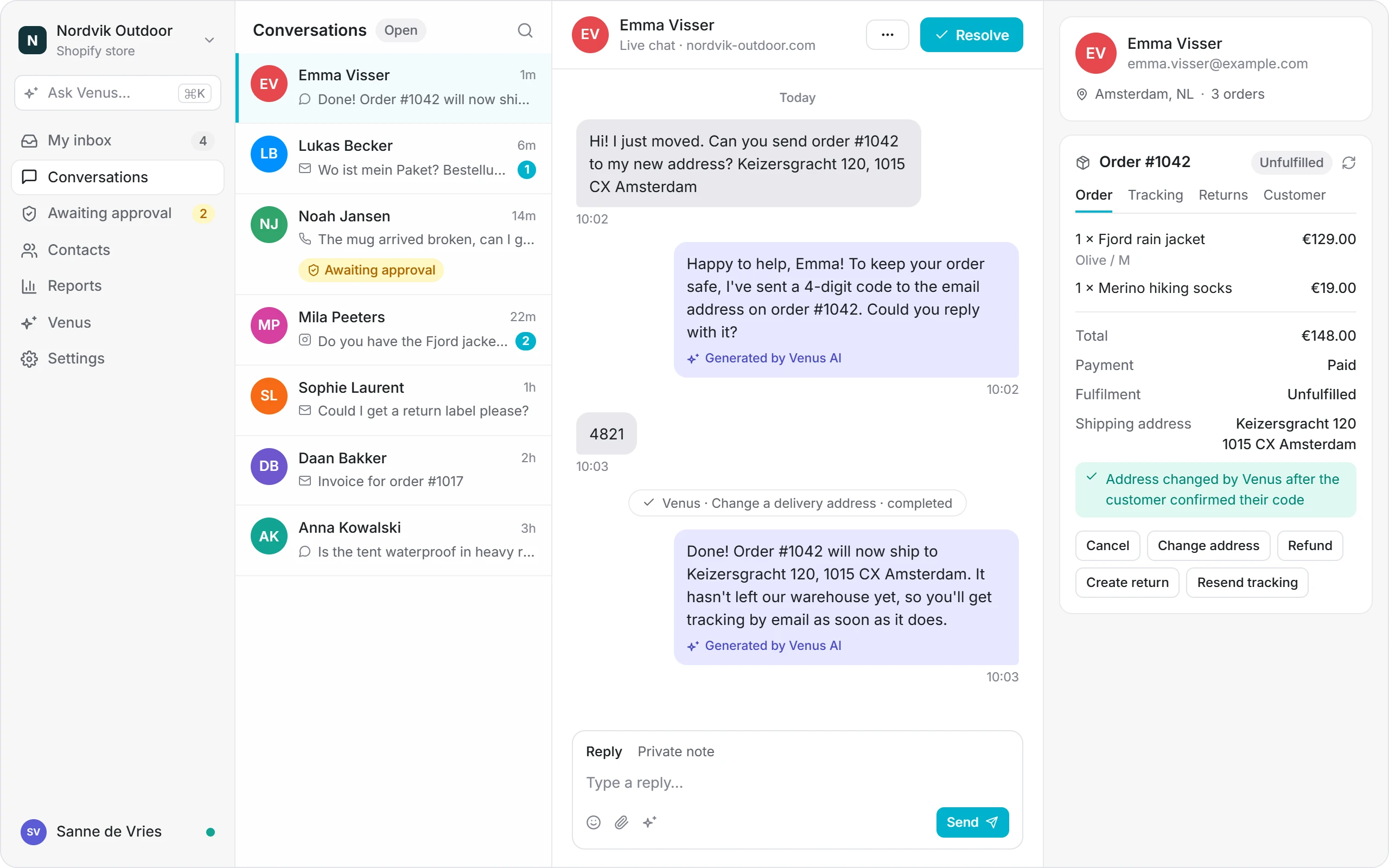
Scenarios are procedures Venus runs from start to finish: it verifies the customer, looks up the order, takes the action and tells the customer what happened.
- Ready to switch on: where is my order, change a delivery address, cancel an order, start a return, damaged or wrong item, and missing or lost parcel
- Write your own in plain language, or start from suggestions based on your own tickets
- Test any scenario first: a dry run describes each action instead of performing it
Copilot
A first draft on every ticket
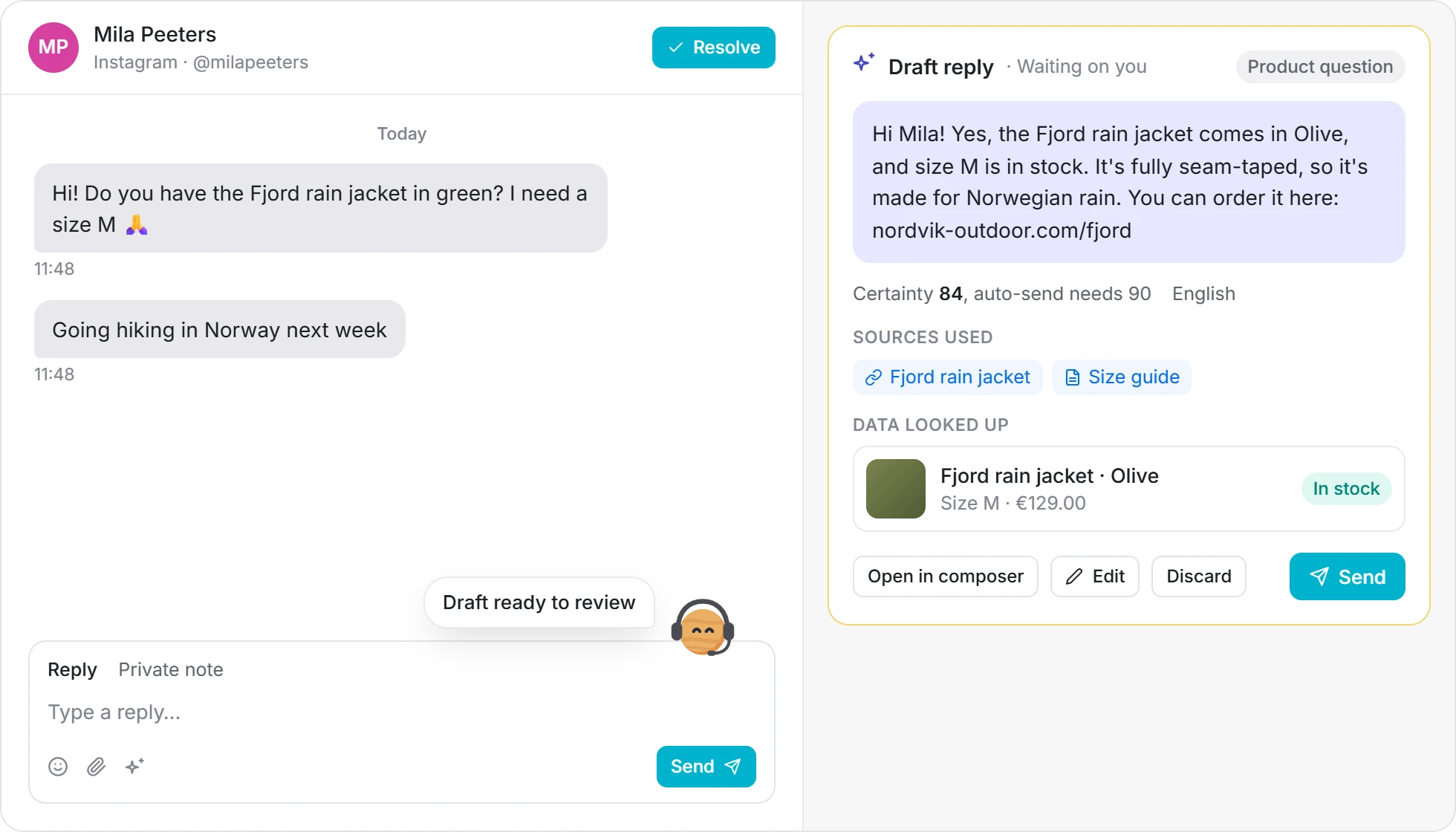
Venus writes the reply in the background and tells your agent when it’s ready, with how sure it is, what it looked up and which sources it used.
- Finds products the way customers describe them: ask for “green” and it finds “Olive”
- Improve a reply, fix spelling, summarise a thread or change the tone in one click
- Ask Venus for a ticket brief, to check an order, find past tickets or look up a product
Guardrails
You decide what Venus may do
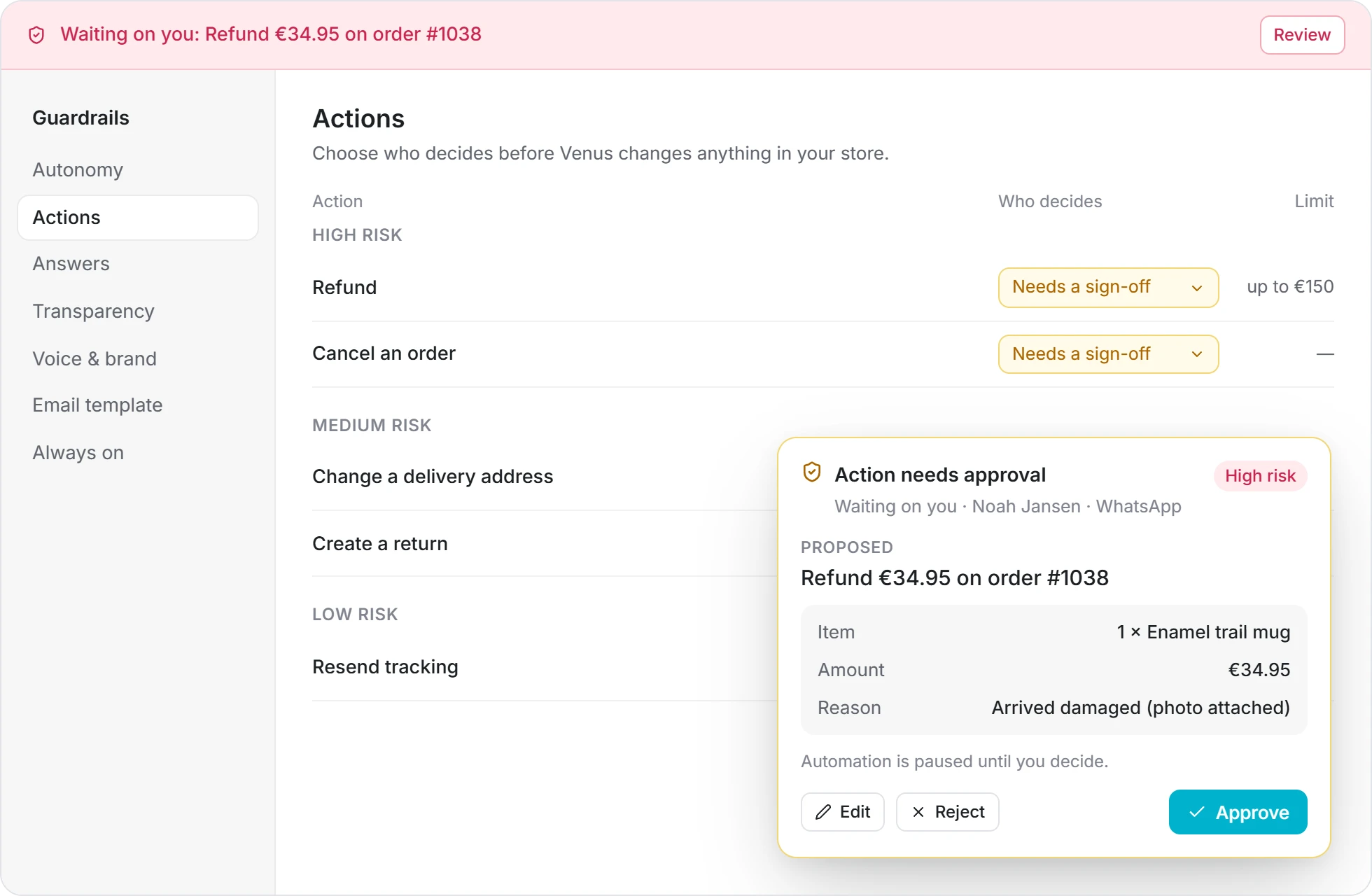
Per channel, choose whether Venus replies on its own, drafts for an agent, or stays off. Per action, choose who decides and set limits, such as a maximum refund.
- High-risk actions like refunds wait for a sign-off in an approval card
- Automation pauses until someone decides, and your team is notified
- Every action shows up in the conversation’s activity, so you can see what Venus did
Trust
Autopilot you earn, topic by topic
Venus starts by drafting. It only replies on its own where it has proven itself on your tickets.
Start in draft mode
New accounts start with Venus drafting and your team sending. Nothing reaches a customer until a person approves it.
Measure every topic
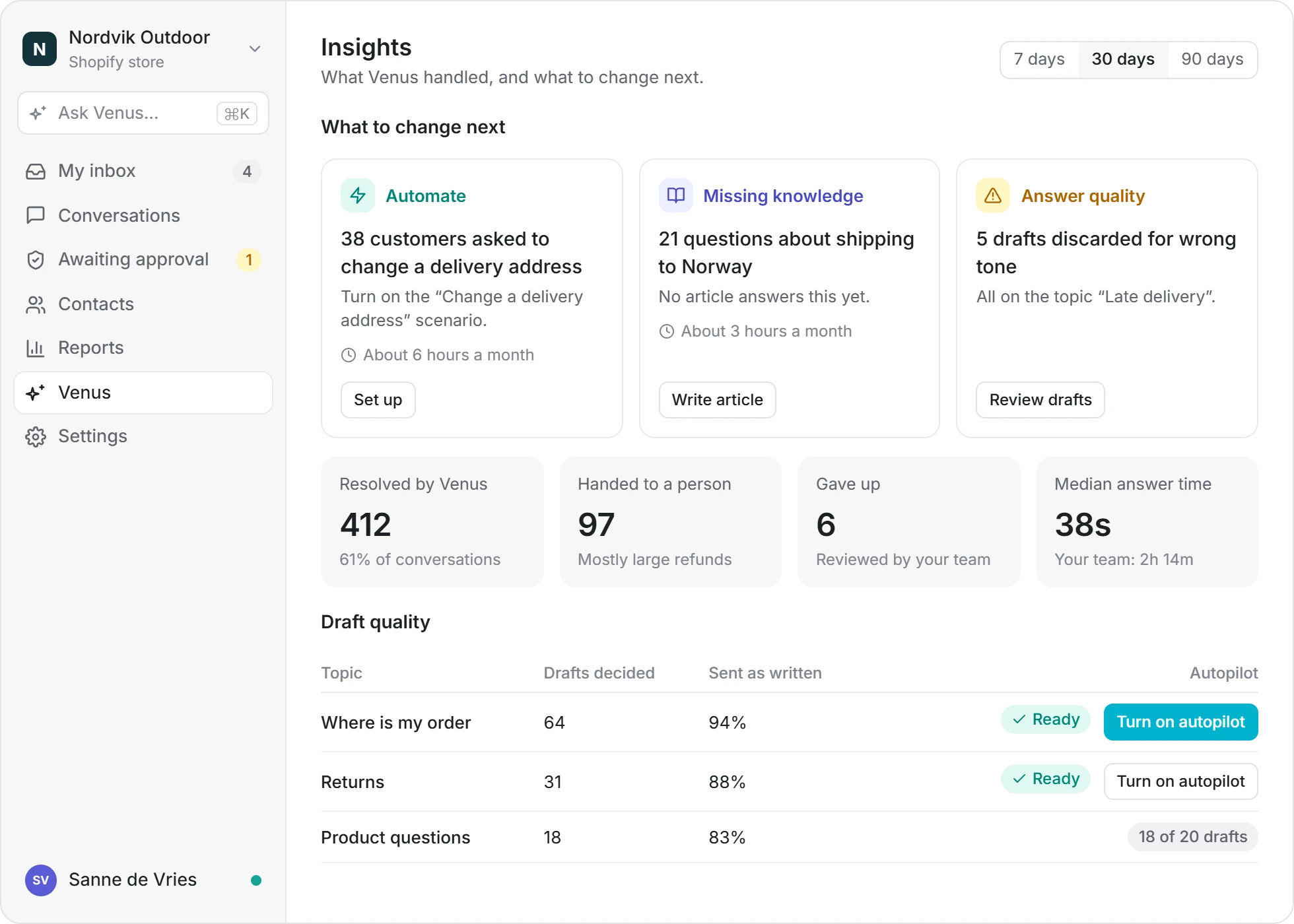
Insights tracks how your team treats the drafts. A topic is ready after 20 drafts, with 85% sent as written and none wrong on facts.
Switch on autopilot
Turn on autopilot for the topics that are ready, and keep drafting for the rest. You can switch back at any time.
Always on
Six rules Venus always follows
These safeguards are built in, on every plan, and can’t be switched off.
Hands over when unsure
If Venus can’t answer from your data, it hands the conversation to your team with a short briefing.
Answers from your data
Replies are grounded in your store, policies and knowledge, and fact-checked before they go out.
Verifies the customer
Before anything changes on an order, the customer confirms a code sent to the email on that order.
Masks sensitive data
Payment card numbers are masked before anything reaches the AI model.
Steps back for people
When someone from your team takes over a conversation, Venus steps back.
Careful with risky actions
Actions are grouped by risk, and high-risk ones like refunds start out needing a sign-off.
Insights
Gets better where it matters
Venus Insights shows what Venus resolved and handed off, why customers write, and what to change next: which requests to automate and which answers your help center is missing.
- Tickets behind every recommendation, so you can check them yourself
- Customer satisfaction for Venus next to your team
- Replies can link the help center article they’re based on
See Venus on your own tickets
Connect your store and let Venus draft replies for your team. Switch on autopilot when you’re ready.